Film & commercial production
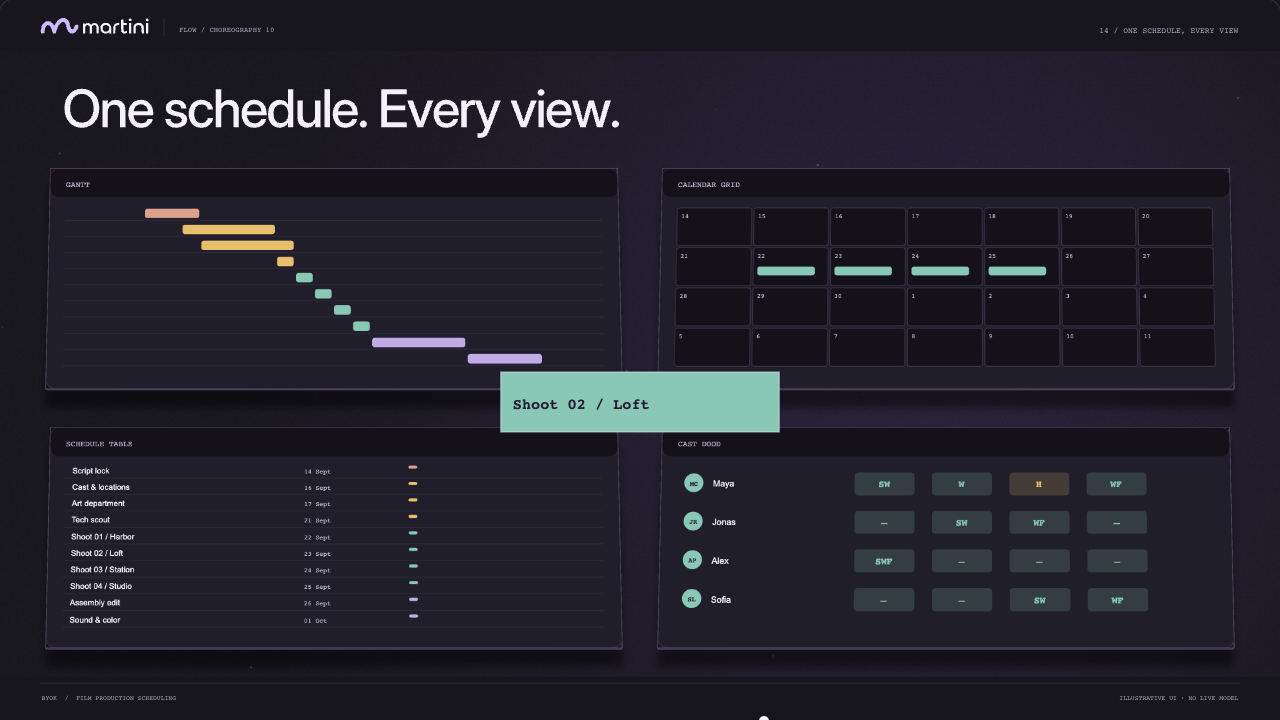
See preparation, shoot days and post-production together. Keep cast assignments and the schedule within reach.
Explore the film workflow Open Martini
A little structure. A lot of creative room.
The ideas. The people. The plan.
Bring your film production into one clear picture, from the first sketch to the final cut.
No account neededAI is optional
 OrbitProduction plan
Swipe the plan to see every date
A sample project to explore. Switching formats resets this example.
Try a changeTHE MARTINI SHORT / 00:40
From the first idea to the whole picture.
See how the moving parts come together.
Plans change. Put the small edits into words.
See what changes, keep what works, and carry on.
“Give compositing three more days.”

One task, one change. Here’s the preview.
Dashed area = proposed time. Apply to add it.
Only this task changes. Review any overlapping work before committing to new dates.
Find the shape of the whole production.
Then get into the details. Nothing to copy over.
OrbitShared demo planSwipe the plan to see every date
From your editor to your sound designer, make it clear who’s doing what.
Try itPick a person and a task. Assign them to this demo plan.
Check the updated planSound + MusicNov 10–Nov 13
No one assigned yet. Make it theirs.
9 tasks · revision 1 · your demo edits and assignments included
A real CSV download. PDF and Excel are available in the app.Film, commercials, animation or AI.
Start with a template. Make the schedule your own.
See preparation, shoot days and post-production together. Keep cast assignments and the schedule within reach.
Explore the film workflowMake room for design, generation, animation and finishing. Shape the phases around how your film actually gets made.
Find your animation workflowTake a PDF, Excel or CSV schedule into the next conversation. Your browser-local plan stays yours to edit and export.
Prepare a better handoffMartini is a browser-based film production scheduling tool. Plan tasks, dates and people across Gantt, calendar, schedule-table and cast Day Out of Days views. Manual planning works without an account or an AI connection.
No. Martini includes templates for narrative film, commercials, 2D and 3D animation, AI film, hybrid production and custom workflows. Your plan can cover development, creative work, production, post and delivery.
No. Planning, project views, people assignments and exports work manually. Agent features need a configured model connection, which may require your own credentials. Your model provider may charge for usage.
This is a guided, interactive example. No model request is sent. Changes stay in this page’s temporary demo, never in your real projects. Refreshing the page resets the example.
Yes. Export PDF, Excel or CSV schedules from the app, or keep a JSON schedule record. The interactive example on this page downloads a CSV containing your demo edits and assignments.
Projects save locally in your browser. When you use an Agent in the app, the relevant prompt and schedule context are sent through the model route configured for the app. Export your work before clearing browser data.
A practical starting guide to turning a film brief into phases, tasks, dates and handoffs. Includes a production schedule review checklist.
Read the guideSee cast work and hold patterns across shoot days with Martini’s Day Out of Days view. Understand assignments, status codes and what to check before sharing.
Explore the featureChoose a PDF, Excel, CSV or JSON production record for a schedule handoff. Learn what to check, what the files contain and why exports are snapshots.
Read the guidePractical guides. Actual workflows. Something to take into your next production.
Made for the making
Open a template. Find your rhythm.